
Start Slideshow button
You can add a “Start Slideshow” button to your slider by using our [tps_start_button label="Start slideshow" style="" class=""]
shortcode. You can also simply press the first highlighted button in the image below and the shortcode will be added
automatically.
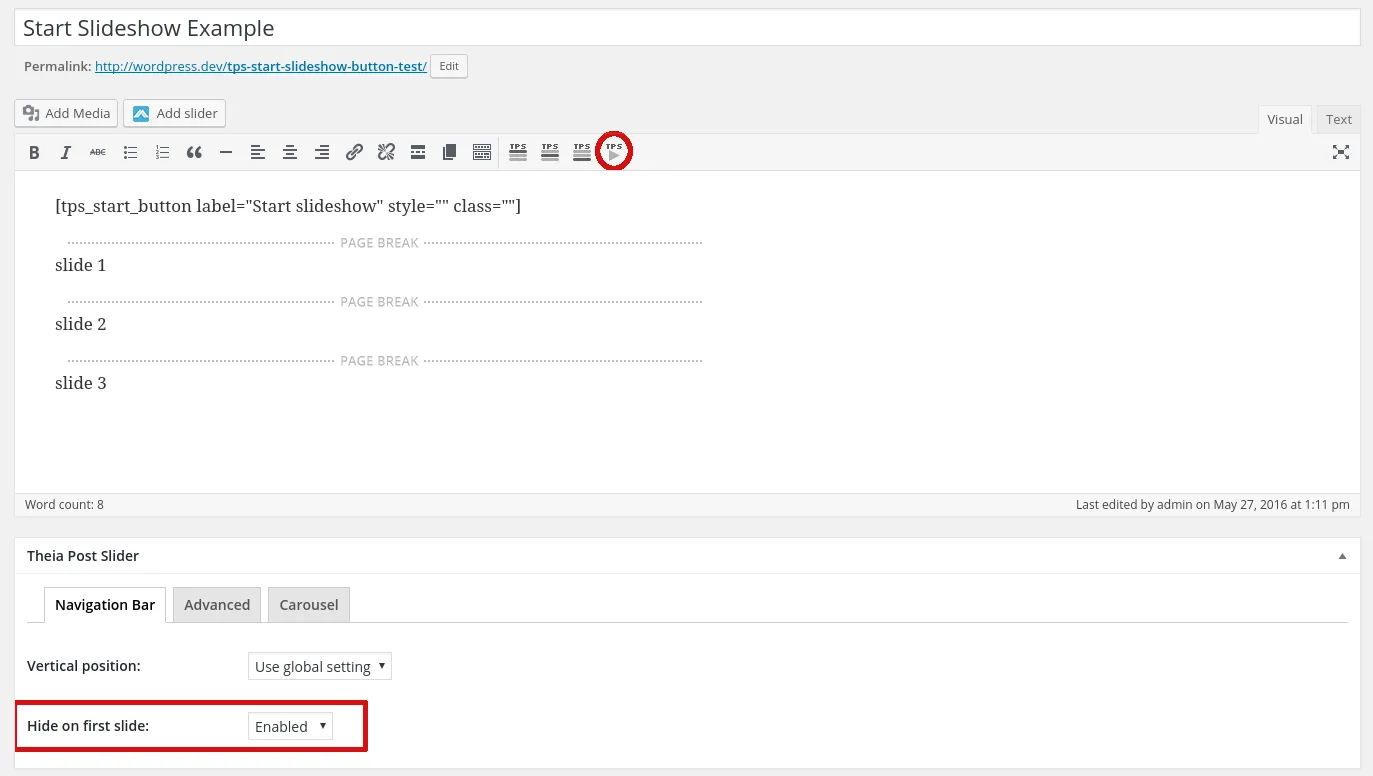
The name of the button can be changed by modifying the label attribute. In addition, you can continue styling the button on your own using the two shortcode attributes we implemented - style and class. With “style” you can add custom CSS rules like on any other tag, and with “class” you can use a pre-existing CSS class. Below is an example of custom styling:
[tps_start_button label="Start slideshow" style="background-color: #f08100; color: #ffffff; font-size: 20px; width: 100%; height: 100px;" class=""]