Headers, footers and titles
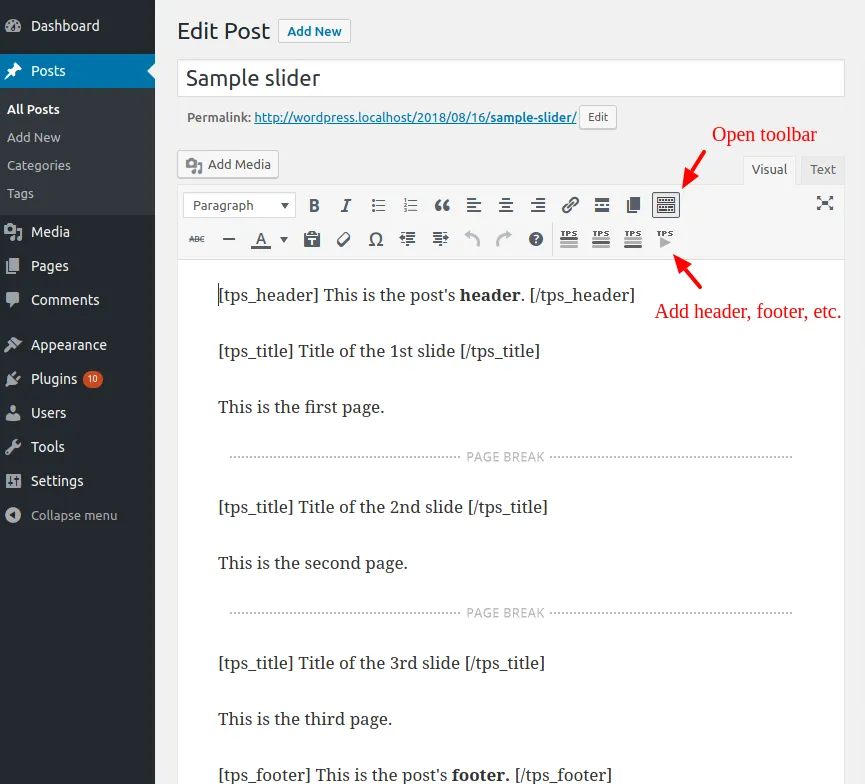
You can add a separate header that will be displayed above the slider, and a footer that will be displayed below. These will remain visible throughout all the post’s pages. You can also add a title for each one of the pages. You can use the buttons highlighted in the image below, which do the following:
- Adds the header. Be sure to insert it only once and on the first page.
- Adds a page’s title. Be sure to insert it only once inside each page.
- Adds the footer. Be sure to insert it only once and on the last page.
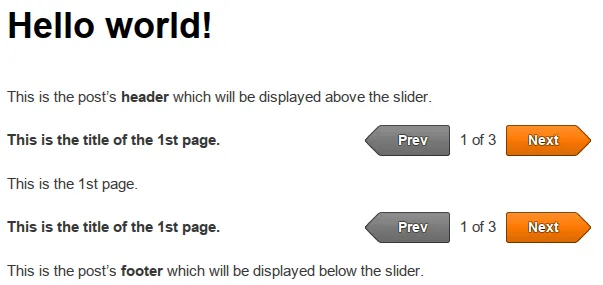
Here is an example that uses a header, a footer and a title for each page:
And here is the result: