

Every thumbnail,
framed around what matters.
Choose a point of interest for your images and all thumbnails are automatically updated. Simple, effective and a great improvement to your users' experience.
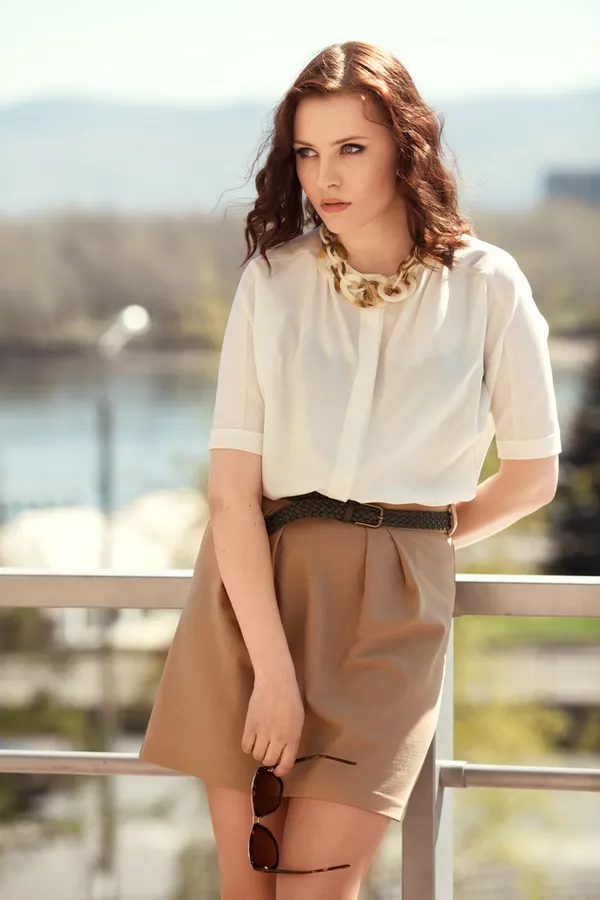
1Select the best focus point

2Preview your new thumbnails
3Try out other images
Click or drag on the photo to move the focus point; arrow keys work too.
Gain full control over your thumbnails
Ever thought that your site’s imagery just doesn’t feel right? Do you spend a lot of time adjusting each post image? We did too, mostly because all thumbnails get cropped right in the center, while most images are landscape or portrait. We built a plugin that solves all of this by allowing you to easily pick a focus point for your images, so that each thumbnail is properly centered around its subject. Works great for ecommerce sites, magazines, and blogs, and is compatible with virtually any theme.
Gone are the days when you had to manually crop or upload separate versions of your thumbnails. Now you can simply choose a point of interest for your image – e.g. a person’s face, an object, etc. – and all the thumbnails will be automatically updated to include them. Your pages will be much more aesthetically pleasing and your visitors will thank you for it.
Features
Made for image-heavy sites
Works great for image-heavy pages such as ecommerce sites
Save time instead by not having to manually adjust each image
Works right away with your existing images
Everything included
- Gain full control over your thumbnails
- Save time instead of manually adjusting each image
- Effortlessly customize the cropping zone by choosing a focus point (i.e. a point of interest), such as a person’s face, an object, etc.
- Extremely easy-to-use with an intuitive and native admin interface.
- Works with your existing images.
- The admin panel comes with a Live Preview to easily customize your thumbnails.
- Preview your theme’s exact thumbnail sizes.
- Works with virtually any WordPress theme.
- Receive support and upgrades.
- High-quality code complete with comments.
- Complete documentation for installing and using the plugin.
Crop Modes
Crop around the subject, or not at all
The photo

WordPress
Theia Smart Thumbnails
Theia Smart Thumbnails offers 2 crop modes: “Focused crop” and “Crop to fit”. With the advanced feature, “Crop to fit”, you can adjust the focus point without cropping the image at all. To achieve this it colors in the empty space around the image; it works with any image size or background color, as long as it’s uniform.
Powerful and Affordable
1 website
5 websites
100 websites
Buyer Reviews
What our buyers say
Great plugin!! Actually works with the thumbnail sizes and is compatible with ACF fields and such out of the box. This is how it is done properly…! Thanks
Solid plugin, nice interface, and super easy to use and configure!
Holy WOW! I consider myself fairly proficient in PHP, CSS, WordPress, etc, and I’m stunned at the abilities of this plugin. Simply amazing! I wouldn’t have believed it until I saw it.
Does perfectly what is should do, even more: extra option added after purchase to be able to crop post feature full-size image!
What a support service!! Thank you very much.
This plugin is simply kick ass. It solves the dilemma of square or odd shaped thumbnails looking bad with portrait/landscape images, and it gets rid of the need for manual cropping tools.
Customer support is also very helpful and quick to reply. I highly recommend this plugin as a must have for an image heavy website, where having quality thumbnails and images is a must!
This is a great plugin that helps a lot! The focus still remains after disabling the plugin – which is sometimes necessary or makes sense on development. Very easy to handle! And simply a MUST for every site with quality images.
Changelog
45 releases since 2012
- fixedBug fixes
- fixedSecurity fixes
- newAutomatic face detection: the focus point is set as soon as you upload a photo
- improvedImproved support for servers using ImageMagick
- improvedImproved compatibility with WordPress 7.1+
- improvedImproved compatibility with PHP 8.5
- improvedUpdated libraries
- fixedMultiple security fixes
- fixedMultiple bug fixes
- improvedUpdated libraries
- improvedImproved support for WordPress 6.4.x
- fixedFixed issues when using the site editor
- newUI tweaks in admin pages
- improvedUpdated libraries
- improvedUpdated libraries
- improvedUpdated libraries
- improvedImproved compatibility with PHP 8.1
- fixedSecurity fixes
- fixedUpdated libraries: improvements and bugfixes
- improvedImproved compatibility with WordPress 5.6
- newAdded compatibility with Beaver Builder
- improvedUpdated libraries
- fixedMiscellaneous fixes
- improvedUpdated libraries
- fixedFixes for WordPress 5.3
- fixedFixes for WordPress 5.3
- improvedUpdated libraries
- fixedSecurity and bug fixes
- newAdded support for WordPress 5 and Gutenberg
- improvedImprovements to cache busting
- improvedImprovements to front-end compatibility
- improvedImproved compatibility with various plugins, including Revolution Slider
- improvedImproved compatibility with Gutenberg editor
- newImplemented automatic updates
- improvedImproved compatibility with non-English filenames
- improvedGreatly improved code quality
- improvedAdmin page improvements
- improvedGreatly improved compatibility with the Enfold theme, Masonry grids, Avia Layout Builder, and virtually any other content builder and layout that uses 'background-size: cover'.
- fixedMinor fixes.
- improvedImproved wording and styling for admin pages.
- improvedCleaned up code.
- fixedFixed issue on PHP setups with short_open_tag off.
- fixedFixed dashboard issues.
- fixedFixed bug with crop-to-fit for landscape images (and portrait in some cases).
- newAdded compatibility for Aqua Resizer.
- improvedGreatly increased compatibility with other themes.
- fixedFixed reset-to-defaults button.
- fixedFixed a bug that caused the options from the Thumbnail Sizes tab to not save properly
- newAdded two new options for integrating Theia Smart Thumbnails with other plugins
- newAdded compatibility with Meta Slider by Matcha Labs
- improvedImproved compatibility with other plugins and themes
- newAdded auto-update functionality
- newAdded global focus point option
- fixedFixed reset-to-defaults in certain situations
- fixedFixed for non-image attachments
- improvedImproved compatibility with plugins that use non-standard image resizing methods
- fixedVarious fixes and improvements
- newSelectively enable focus points by thumbnail type
- fixedVarious fixes and improvements
- newCache-busting for both visitors and CDNs
- newCrop-to-fit for user-selected thumbnail sizes
- newPicker was misbehaving in certain cases
- newThumbnail previews were not showing in certain cases
- improvedImproved focal point selector
- improvedReformatted the entire codebase using the official WordPress guidelines
- fixedVarious fixes and improvements
- newNow compatible with WordPress 4.0
- newNow compatible with WordPress 3.9
- fixedBug-fixes
- improvedImproved browser compatibility
- newYou can now manually specify the thumbnail sizes used for previews
- newYou can choose to whether show or hide the previews by default
- newPlugin now uses the theme's thumbnail sizes for previews
- newAdded option for portrait images: By default, crop thumbnails by keeping the upper part of the image. Useful for people portraits, fashion photography, etc. so the heads aren't cut off.
- newAdded option to enlarge small thumbnails
- newPlugin is now compatible with WordPress 3.8
- improvedImproved plugin compatibility
- newPlugin is now compatible with WordPress 3.5.1
- newPlugin is now compatible with WordPress 3.5
- newInitial release